---
canonical: "https://www.jsolly.com/blog/how-to-create-subtle-shaking-navbar-links/"
title: "Add a Subtle Shake Effect to Your Website With CSS Animations"
description: "Learn how to add a shake effect to any element on your website with CSS animations. Use the prefers-reduced-motion media query to turn off the animation."
author: "John Solly"
published: "2022-07-23T22:55:58.459Z"
updated: "2022-07-23T22:55:58.459Z"
---
# Add a Subtle Shake Effect to Your Website With CSS Animations
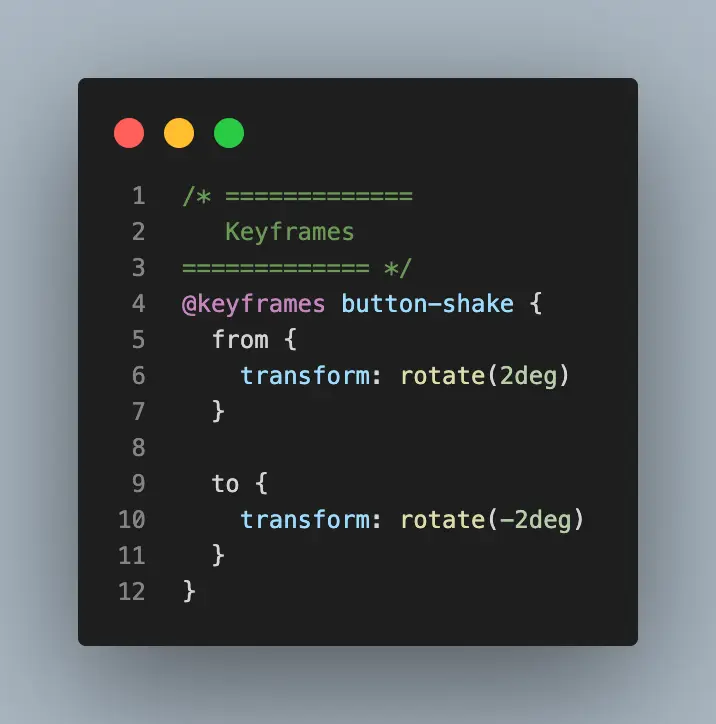
CSS keyframe to make button shake
After finishing [Net Ninja's CSS tutorial](https://www.youtube.com/playlist?list=PL4cUxeGkcC9iGYgmEd2dm3zAKzyCGDtM5) on YouTube, I figured out how to add a subtle shake to any element.
@keyframes button-shake {
  from {
    rotate:2deg
  }
  to {
    rotate:-2deg
  }
}
This takes the element and rotates it a little bit clockwise and then a little bit counterclockwise. This creates a nice effect on hover.
@media (hover: hover) {
 nav a:hover {
 animation: button-shake 0.3s linear;
   }
}
I am nesting it inside `@media (hover: hover)`because that will limit the animation to only devices that have `hover` (don't use the animation on mobile). If you don't do this, you'll notice the animation firing off when you tap on an element which looks weird.
With any kind of optional movement on your site, you also should take a look at the [prefers-reduced-motion](https://developer.mozilla.org/en-US/docs/Web/CSS/@media/prefers-reduced-motion) media query to make sure the animation is turned off for people who have movement sensitivities. All I had to do was add this snippet to my CSS file.
@media (prefers-reduced-motion: reduce) {
  nav a:hover {
    animation: none
  }
}
And we're done!
July 23, 2022 in [Web Dev](https://www.jsolly.com/blog/category/web-dev/)
Updated July 23, 2022