---
canonical: "https://www.jsolly.com/blog/how-to-implement-content-security-policy-django/"
title: "Improve Security With a Content Security Policy | A Step-By-Step Guide"
description: "Implement Content Security Policy for website security and user protection, using features like nonces, hashes, and source lists."
author: "John Solly"
published: "2022-05-24T22:22:56.000Z"
updated: "2024-11-06T13:41:08.074Z"
---

<a id="improve-security-with-a-content-security-policy--a-step-by-step-guide"></a>

# Improve Security With a Content Security Policy | A Step-By-Step Guide
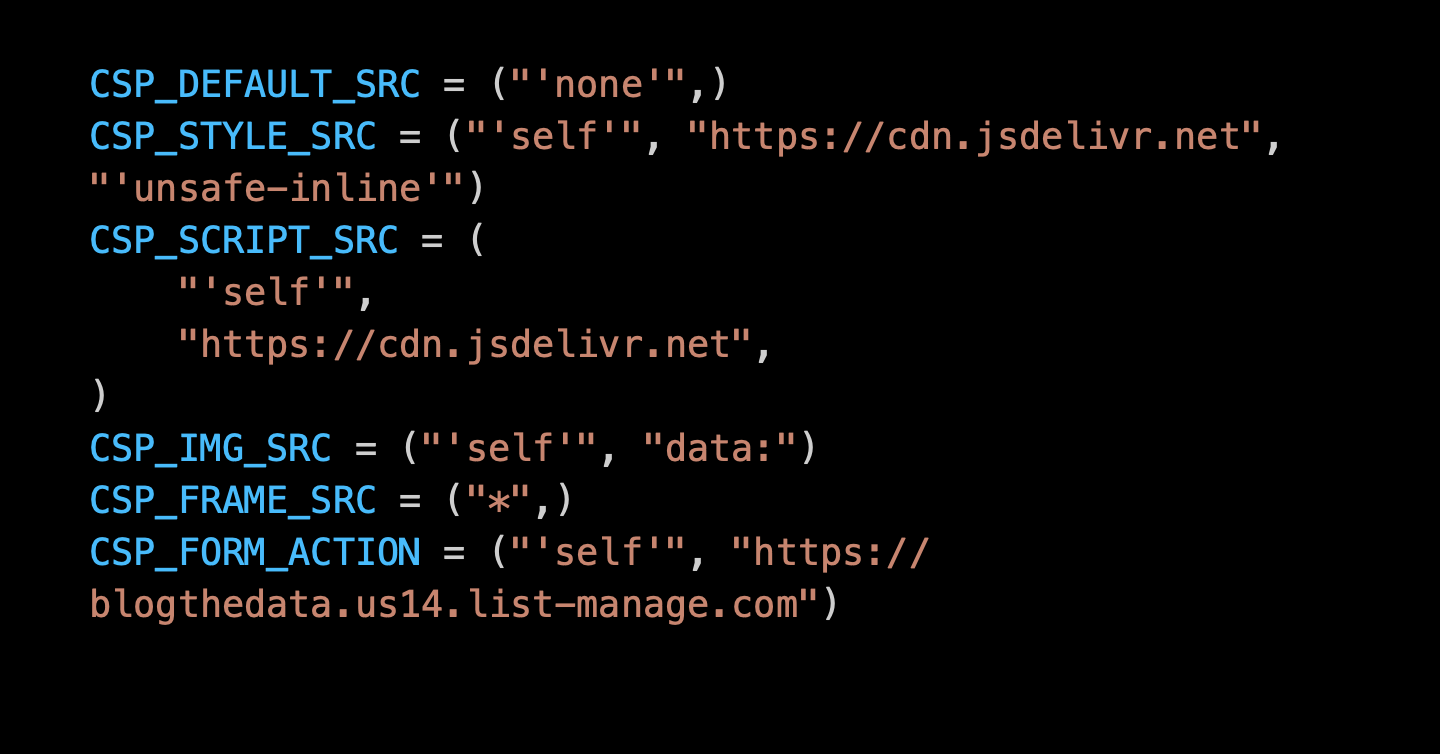
![Screenshot of Content Security Policy directives](https://d1d7p8ufhgz4ld.cloudfront.net/media/post_metaimgs/content_security_policy.png)

> **Content Security Policy** ([CSP](https://developer.mozilla.org/en-US/docs/Glossary/CSP)) is an added layer of security that helps to detect and mitigate certain types of attacks, including Cross-Site Scripting ([XSS](https://developer.mozilla.org/en-US/docs/Glossary/Cross-site_scripting)) and data injection attacks. These attacks are used for everything from data theft, to site defacement, to malware distribution.  
> \- [MDN](https://developer.mozilla.org/en-US/docs/Web/HTTP/CSP)

Blogthedata.com now has a Content Security Policy and an [A+ rating on Mozilla Observatory](https://observatory.mozilla.org/analyze/blogthedata.com). The journey began early this month when I [got an F on Observatory’s security audit](https://www.jsolly.com/blog/how-to-get-a-perfect-mozilla-observatory-score/). Since then, I’ve beefed up security, including [creating an SRI](https://www.jsolly.com/blog/how-to-implement-subresource-integrity-django/) and a CSP. W3C published the [latest CSP standard](https://www.w3.org/TR/CSP/) on June 29th, 2021.

In Django, we implement a CSP using the [django-csp](https://django-csp.readthedocs.io/en/latest/) module. After installation, you add CSP directives to your settings.py file.

<pre><code class="language-python"># settings.py
# Content Security Policy
CSP_DEFAULT_SRC = ("'none'",)
CSP_STYLE_SRC = ("'self'", "https://cdn.jsdelivr.net", "'unsafe-inline'")
CSP_SCRIPT_SRC = (
	"'self'",
	"https://cdn.jsdelivr.net",
)
CSP_IMG_SRC = ("'self'", "data:")
CSP_FONT_SRC = ("'self'",)
CSP_CONNECT_SRC = ("'self'",)
CSP_FRAME_SRC = ("*",)
CSP_FRAME_ANCESTORS = ("'none'",)
CSP_BASE_URI = ("'none'",)
CSP_FORM_ACTION = ("'self'", "https://blogthedata.us14.list-manage.com")
CSP_OBJECT_SRC = ("'none'",)</code></pre>

**CSP\_DEFAULT\_SRC** - The master directive. With a value of ‘none’ it’s saying ‘block everything unless it’s specifically allowed,’ It’s a good security practice because an allow list won’t block items you might have forgotten. Block everything by default and then selectively allow what you need.

**CSP\_STYLE\_SRC** - This tells Django where CSS may come from. In my case, I am allowing styles hosted on my server (self) and Bootstrap CSS, served through jsdeliver. I needed to include ‘unsafe-inline’ because a few plugins I use have inline styles. There’s an [open issue](https://github.com/jsolly/awesome-django-blog/issues/81) to resolve this one.

**CSP\_SCRIPT\_SRC** - Same as STYLE\_SRC, but this concerns what’s inside a <script> tag.

**CSP\_IMG\_SRC** - I host site images locally, so I don’t need to allow external sites like Imgur. The downside to this directive is that it prevents me from having any images on my site hosted on another domain. I also added `data:` to allow CKEditor’s drag/drop image support, which [embeds the image as a base44 encoded string](https://github.com/ckeditor/ckeditor4/issues/4681). I could opt for regular image uploads only, but I kept this in for convenience.

**CSP\_FONT\_SRC** - Where fonts can come from.

**CSP\_CONNECT\_SRC** - Restricts URLs that load using script interfaces such as WebSocket and XMLHttpRequests.

**CSP\_FRAME\_SRC** - I used  ‘ \* ‘ to wildcard all domains in a child iframe. I am not restricting myself from putting something inside <iframe> when the iframe lives on blogthedata.com. This contrasts with SRC\_FRAME\_ANCESTORS, which dictates which domains can put blogthedata.com into an iframe.

**CSP\_BASE\_URI** - The <base> tag specifies the target of relative URLs in a site.

**CSP\_FORM\_ACTION** - Where <form> can submit. Most of my forms POST to routes within my application, except the Mailchimp newsletter sign-up which uses .us14.list-manage.com

**CSP\_OBJECT\_SRC** - Limts what sources for <object>, <embed>, and <applet> tags.

<a id="my-approach-and-gotchas-encountered"></a>

## My Approach and Gotchas Encountered 

I first set **CSP\_DEFAULT\_SRC** to ‘none’ (block everything) and began visiting pages and running unit tests. My first issue was that CKEditor 4 bundles inline CSS with JavaScript in the ckeditor.js file. CSP policies restrict inline <style> and <script> tags. CKEditor improved CSP support in version 5, so I decided to migrate. You can read more about it [in this blog post](https://www.jsolly.com/blog/migrating-to-ckeditor-5/).

<a id="social-share-embedded-scripts-and-styles"></a>

## Social Share embedded Scripts and Styles

Most social share buttons provided by companies such as [LinkedIn](https://learn.microsoft.com/en-us/linkedin/consumer/integrations/self-serve/plugins/share-plugin) and [Twitter](https://publish.twitter.com/?buttonType=TweetButton&widget=Button) have embedded scripts and styles. I worked my way around that and wrote on it in [this post](https://www.jsolly.com/blog/how-to-add-social-share-buttons-to-your-website/).

<a id="kofi-donate-button-and-mailchimp-embed-form-had-inline-styles-and-scripts"></a>

## Kofi Donate Button and Mailchimp Embed Form had inline styles and scripts

I had to reverse engineer HTML templates, so Kofi and Mailchimp did not violate the CSP. This involved hosting the JavaScript locally and moving inline styles into a separate CSS file. The changes are in [this PR](https://github.com/jsolly/awesome-django-blog/pull/80/files).

<a id="broken-styling-on-the-sitemap-page"></a>

## Broken styling on the sitemap page

Another interesting issue I ran into was that I broke inline styles on the sitemap page. I don’t think it’s a problem because this page doesn’t need styling. The only reason I have a sitemap page is for [site spiders to understand my site better](https://www.jsolly.com/blog/help-google-spider-with-sitemaps-and-robots-file/). I came across this [Reddit thread](https://www.reddit.com/r/django/comments/i9mo5o/sitemapxml_and_robotstxt_content_security_policy/) that confirmed my thoughts. CSPs are for protecting users on your site, not robots.

<a id="conclusion"></a>

## Conclusion

Implementing a CSP added XSS protection to blogthedata.com besides increasing the site’s score on Mozilla Observatory. I ran into many setbacks, but they were surmounted. Consider adding a CSP to your site to make it more secure.

May 24, 2022 in [Web Dev](https://www.jsolly.com/blog/category/web-dev/)

Updated November 6, 2024
