---
canonical: "https://www.jsolly.com/blog/todo-workflow-7619-tasks/"
title: "Organize Your Life: How I Use Todoist to Achieve Goals"
description: "Get organized with Todoist! Learn how to use the app to reach goals and get things done with tips and tricks to unlock your potential."
author: "John Solly"
published: "2022-02-03T00:49:42.000Z"
updated: "2022-02-03T00:49:42.000Z"
---
# Organize Your Life: How I Use Todoist to Achieve Goals
## Intro
Three years ago, I read _Getting things done_ by David Allen and installed a todo app called Todoist. Since then, I've leveraged this app to reach many goals including learning computer science, landing a 100% work from home job, getting married, and buying a house. Once you get organized, anything is possible 📈
_Getting Things Done_ will get you started. It's dated, but the concepts and ideas are timeless, tried and true.
## Step 1 - Write tasks down as you think of them
Every time a task pops into your head, put it in Todoist. If you're working on an important work project realized the bathroom hasn't been cleaned, pop open the app and add a task, 'clean bathroom.' Todos will pop into your head throughout the day!
After a couple weeks, there will be unorganized tasks in Todoist. Everything from "Buy a house" to "Replace HVAC air filter."
## Step 2 - Start organizing tasks into buckets
Choose a weekend to sit down and look for patterns. Create project folders organize tasks into folders. The top-level projects I use today are Yellowfin (Where I work), Overhead, Career, Future, and Books.
What's great about Todoist is that it has very good natural language processing, so it can detect things like... "_Check Tire pressure on the first Sunday of every Month_" and remind you on the day.
## Step 3 - Determine Cadence and Task Priority
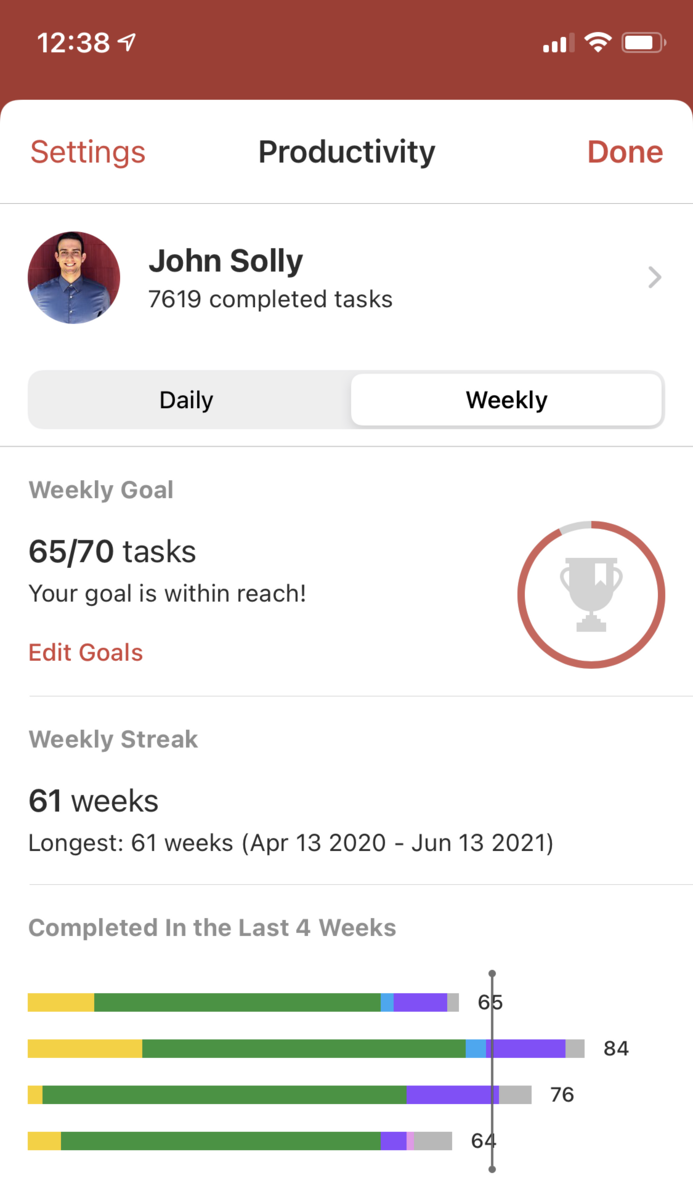
For a couple weeks, don't set 'task quotas' or goals. Simply completed tasks as you have time. I naturally complete about 10-20 tasks per day and 50-70 tasks per week. Use this number as a baseline to figure an amount of completed tasks to shoot for each day.
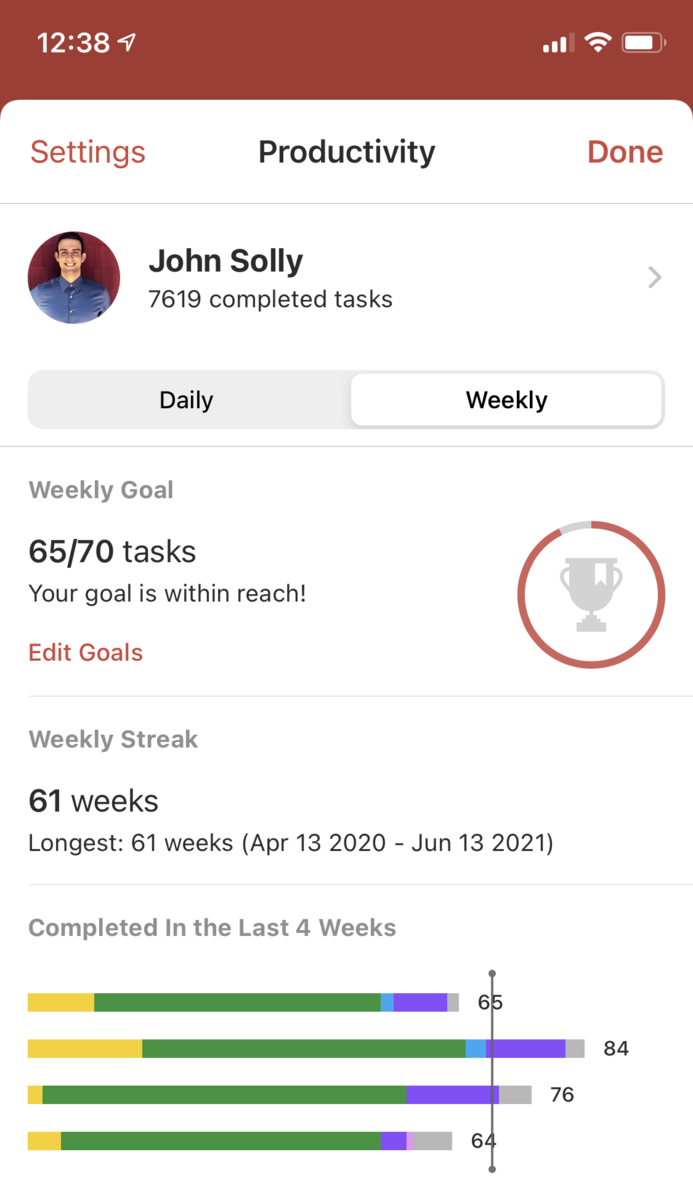
Today, I consistently complete 10 tasks per day and 70 tasks per week. That's about it! Write things down, organize, and complete. Easy as 1-2-3!
Happy To-Do-ing!
February 3, 2022 in [Productivity](https://www.jsolly.com/blog/category/productivity/)
Updated February 3, 2022